
.png)
Description
Download AI Lyrics Generator – AI‑Powered Songwriting Tool, Free & Secure
Overview – What Is AI Lyrics Generator?
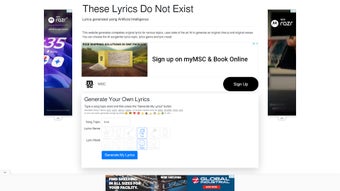
AI Lyrics Generator is a cloud‑based artificial‑intelligence platform built to help songwriters, producers, and hobby musicians create original lyrics in a matter of seconds. By simply selecting a topic, genre, and mood, the engine constructs verses, choruses, and bridges that follow the user’s creative direction. The service supports a broad spectrum of musical styles—including Country, Metal, Rock, Pop, Rap, EDM, and many sub‑genres—so creators can experiment across styles without learning a new piece of software. Mood sliders range from “Very Sad” to “Very Happy,” giving the AI the emotional context needed to produce lines that feel authentic and resonant.
The underlying model is trained on millions of song lyrics, poetry, and contemporary prose, allowing it to mimic lyrical patterns, rhyme schemes, and thematic structures with surprising accuracy. While the output is generated by an algorithm, many users report that the verses act as a strong springboard, sparking ideas that can be refined into fully finished songs. An emoji‑based generation mode adds a playful twist: users pick emojis that represent the vibe they want, and the AI translates those symbols into lyrical content.
Key benefits include instant generation, genre versatility, precise mood control, and the ability to download finished lyrics for offline editing. Whether you’re a seasoned songwriter stuck in a creative block or a beginner looking for inspiration, AI Lyrics Generator provides a secure, free‑to‑try environment that respects user privacy and requires no installation. The platform also offers a premium tier for users who need higher word limits, priority generation, and additional customization options, making it a scalable solution for both casual creators and professional studios.
Core Features & Benefits
- Genre Flexibility: Choose from Country, Metal, Rock, Pop, Rap, EDM, and more, allowing cross‑genre experimentation.
- Mood Slider: Adjust lyrical tone from Very Sad to Very Happy for precise emotional output.
- Topic Customization: Input any subject—love, travel, technology, politics—and receive relevant verses.
- Emoji‑Based Generation: Select emojis that capture the vibe; the AI translates them into lyrics.
- Regeneration Option: Unsatisfied with the first draft? Click “Regenerate” for a fresh set instantly.
- Download Capability: Export lyrics as .txt or .docx files for offline editing in any word processor.
- Secure Cloud Processing: All data is encrypted during transmission; no local installation required.
- Free Trial & Affordable Plans: Use the basic version for free; premium plans unlock higher word limits and priority generation.
The combination of these features makes AI Lyrics Generator a unique creative partner. The genre selector is particularly valuable for producers who need to draft hooks across multiple styles during a single session. Mood control ensures that lyrical content aligns with the intended atmosphere of the track, reducing the time spent on rewrites. The emoji mode is a fun, intuitive way to convey abstract concepts without typing long descriptions, and it often yields surprising lyrical twists that inspire further creativity.
From a productivity standpoint, the tool’s instant regeneration and download options cut down on the typical back‑and‑forth between brainstorming and finalizing lyrics. Users can generate several variations, compare them side‑by‑side, and select the strongest lines for further development. This rapid iteration cycle is especially beneficial for tight studio schedules where every minute counts. Moreover, the secure cloud architecture guarantees that your drafts are protected, while the free tier offers enough flexibility for casual users to experiment without commitment.
Installation, Usage & Compatibility
How to Get Started (Free Download)
Because AI Lyrics Generator is a web‑based application, there is no traditional download or installation required. To begin, visit the official website, create a free account, and verify your email address. Once logged in, you’ll land on the main dashboard where the lyric generation interface lives. The platform is optimized for modern browsers such as Chrome, Firefox, Safari, and Edge, ensuring a smooth experience on virtually any device.
Step‑by‑Step Usage Guide
- Select a Genre: Choose from the dropdown menu (Country, Metal, etc.).
- Set the Mood: Drag the slider to the desired emotional level.
- Enter a Topic: Type a keyword or phrase that captures the song’s theme.
- Optional Emoji Input: Click the emoji picker and select up to three icons.
- Generate Lyrics: Press the “Create” button; the AI returns verses within seconds.
- Edit & Regenerate: Use the inline editor to tweak lines or hit “Regenerate” for a new version.
- Download: Click “Download” to save the lyrics as a text or Word document.
Operating System Compatibility
The service runs entirely in the browser, making it compatible with Windows 10/11, macOS Ventura and later, Linux distributions, as well as mobile operating systems such as Android 12+ and iOS 15+. Because no local files are installed, the tool works on tablets and smartphones with the same performance as on desktop computers. For users who prefer a dedicated desktop experience, a lightweight Electron wrapper is available for Windows and macOS. This optional client simply launches a Chromium window pointing to the web app, offering system‑tray integration and offline caching of previously generated lyrics (though generation still requires an internet connection).
Pros & Cons, Frequently Asked Questions & Final Thoughts
Pros
- Instant lyric generation saves time.
- Wide genre and mood range supports diverse musical projects.
- No installation required; works on any modern device.
- Free tier available for hobbyists.
- Secure, encrypted data handling.
- Easy export to .txt or .docx for further editing.
- Regeneration feature encourages creative iteration.
Cons
- Generated lyrics may need polishing to avoid cliché.
- Free version limits word count per session.
- Complex thematic requests can produce generic results.
- Advanced customization (e.g., specific rhyme schemes) requires manual editing.
- Premium plans are required for unlimited usage.
FAQ
Can I use the lyrics commercially?
Yes. Once you download the lyrics, you own the text and can incorporate it into any commercial project, provided you comply with the platform’s terms of service.
Is there a limit to how many lyrics I can generate?
The free tier allows up to 5 generations per day. Premium plans offer unlimited generations and higher word limits per lyric.
Do I need to install any plug‑ins or extensions?
No. AI Lyrics Generator runs entirely in your web browser, so no additional software is required.
How secure is my data?
All communications are encrypted via HTTPS, and the platform does not store personal lyric drafts longer than 30 days unless you save them to your account.
Can I customize rhyme schemes?
While the tool automatically applies common rhyme patterns, you can manually edit the output to fit a specific scheme before downloading.
Conclusion & Call to Action
AI Lyrics Generator bridges the gap between inspiration and finished content, delivering fast, genre‑specific verses that can jump‑start any songwriting session. Its ease of use, cross‑platform compatibility, and secure cloud processing make it a reliable companion for both amateurs and professionals. If you’re looking to break through writer’s block, explore new musical styles, or simply test fresh ideas, this AI‑driven tool offers a free, low‑risk entry point.
Ready to unleash your creativity? Free download now and start generating lyrics that match your vision today.
Guides & Tutorials for AI Lyrics Generator
How to install AI Lyrics Generator
- Click the Preview / Download button above.
- Once redirected, accept the terms and click Install.
- Wait for the AI Lyrics Generator download to finish on your device.
How to use AI Lyrics Generator
This software is primarily used for its core features described above. Open the app after installation to explore its capabilities.
User Reviews for AI Lyrics Generator 0
No reviews found




